Maintenance & Inspection
Condition for Safe Operation
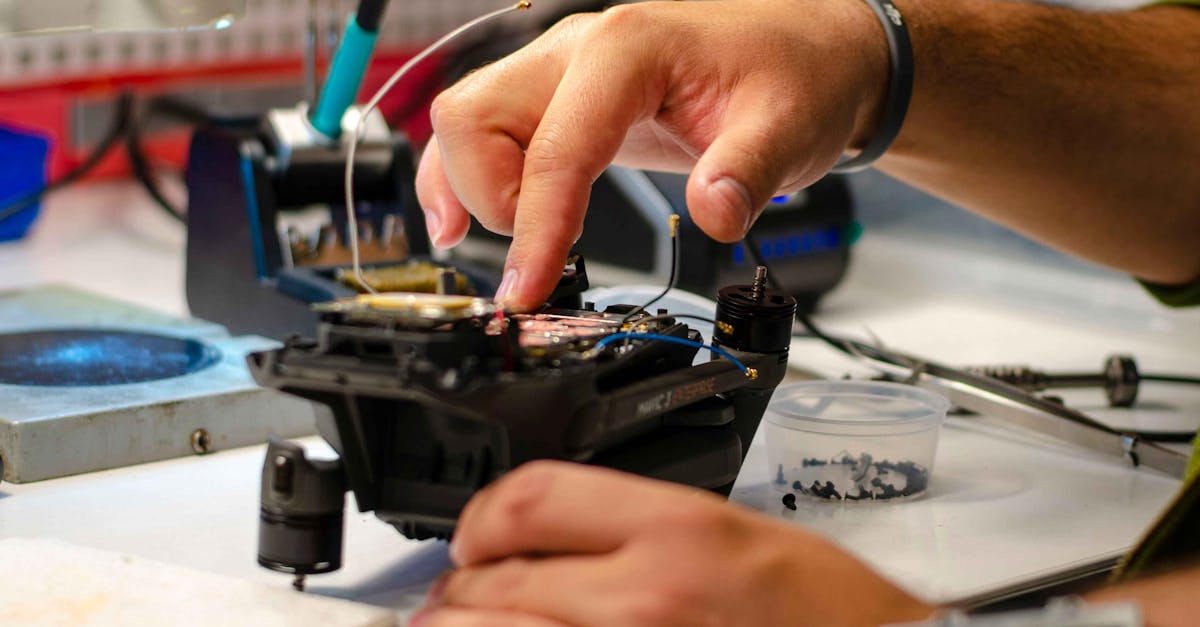
Part 107.49 requires that before every flight, the remote PIC verifies the drone is in condition for safe operation. This is different from the formal maintenance programs required for manned aircraft. The FAA doesn’t require drone mechanics or A&P certificates.
Instead, the PIC is responsible for:
- Preflight inspection: visual and functional check before every flight
- Following manufacturer guidance: the drone’s operating manual defines what to check
- Not flying if something is wrong: if it’s broken, don’t fly it
Preflight Inspection Checklist
Follow your manufacturer’s recommendations. At minimum:
Physical Inspection
- Airframe: no cracks, loose screws, damaged components
- Propellers: no chips, cracks, or bends; securely attached
- Motors: spin freely, no grinding or unusual resistance
- Camera/gimbal: moves freely, secure attachment
- Landing gear: intact and secure
- Antenna(s): secure, not damaged
Systems Check
- Battery: fully charged, no swelling or damage
- Battery contacts: clean, no corrosion
- Controller: charged, paired with drone
- GPS lock: adequate satellites acquired
- Compass: calibrated (if prompted by the system)
- Firmware: current version installed
- Remote ID: broadcasting properly
Environmental Check
- Weather within limits
- Airspace authorization obtained
- Takeoff/landing area clear and safe
- No people in the immediate area
Battery Care and Maintenance
Lithium batteries are the most maintenance-intensive component:
Storage
- Ideal charge for storage: 40-60% (not fully charged or fully depleted)
- Temperature: Cool, dry place (avoid extreme heat)
- Long-term storage: Discharge to roughly 50% every 3 months
Signs of Battery Degradation
- Swelling/puffing: stop using immediately
- Reduced flight time: battery losing capacity
- Difficulty charging: cells may be damaged
- Physical damage: dents, punctures, bent terminals
A swollen battery is a fire risk. Dispose of it properly at a battery recycling center. Do not continue to use it.
Firmware and Software Updates
Manufacturers release firmware updates that:
- Fix bugs and safety issues
- Update geofencing databases
- Improve flight characteristics
- Comply with new regulations (like Remote ID)
Update firmware before important jobs, but test the update on a non-critical flight first. Occasionally firmware updates introduce new issues.
Recordkeeping
Part 107 doesn’t mandate specific maintenance records, but good practice includes:
- Flight log: date, duration, location, any issues
- Battery log: charge cycles, performance over time
- Maintenance log: repairs, replacements, firmware updates
- Incident reports: any abnormal events during flight
The PIC must ensure the drone is in condition for safe operation. The FAA doesn’t specify HOW you verify this, only that you DO verify it before every flight.
Quick Check
Q: Who is responsible for ensuring the drone is safe to fly? A: The Remote PIC, before every flight.
Q: What should you do if a battery shows signs of swelling? A: Stop using it immediately and dispose of it properly at a battery recycling center.
Q: Does Part 107 require formal maintenance records? A: No specific format is required, but keeping records is best practice.
What’s Next?
All knowledge areas covered. Let’s wrap up with study strategies and a practice exam review.
This free course covers the essential knowledge, but if you want video walkthroughs, practice exams, and instructor support, Pilot Institute’s Part 107 course is the most comprehensive option available.