Black & White Aerial Photography
Why It Matters
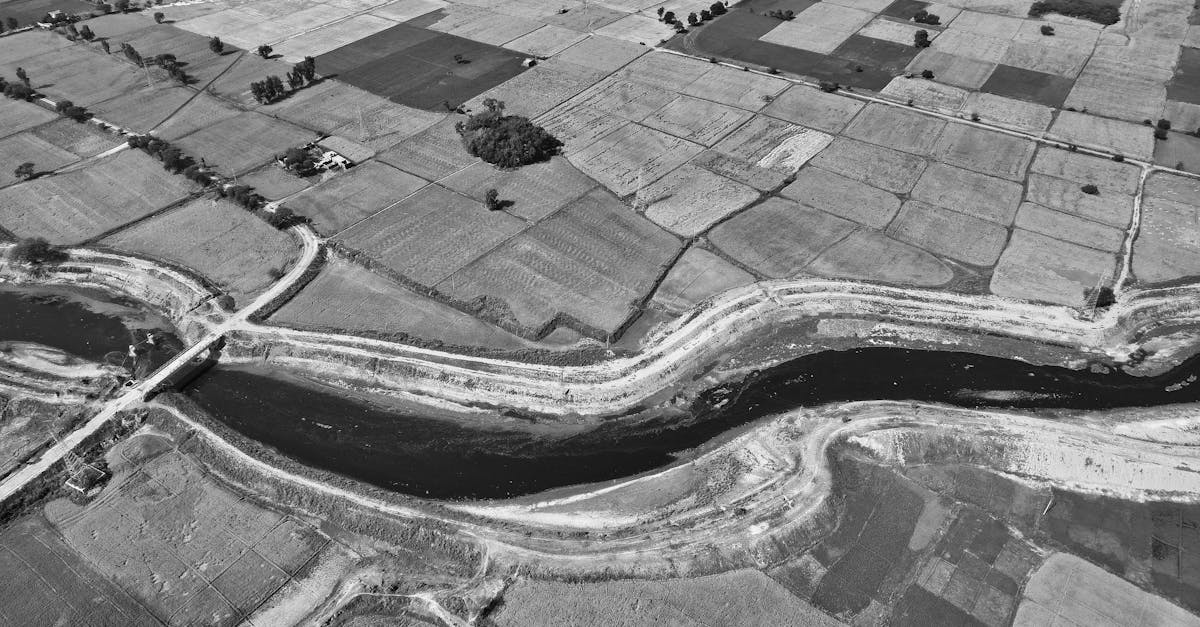
Color can dominate an image. When you remove it, a photo succeeds or fails on composition, light, and form alone. Black and white aerial photography strips away the colorful distraction and forces you and your viewer to engage with the actual structure of the image.
Some aerial photos are stronger in black and white than they ever were in color. This lesson teaches you when that’s true and how to execute the conversion.
When to Go Black and White
Not every photo benefits from B&W conversion. These situations do:
1. Strong Patterns and Geometry
Agricultural fields, road grids, building patterns, crop circles. Subjects where the pattern is the point, not the color. Color can actually distract from the geometric composition.
2. Dramatic Shadows
Low-angle sunlight creates long shadows across landscapes. In color, the shadows are just dark patches. In B&W, shadows become shapes. They define the composition and add depth. Deserts, sand dunes, and rolling hills at golden hour are perfect candidates.
3. High Contrast Scenes
When a scene has strong contrast between light and dark (backlit subjects, sun behind clouds, dark water against bright reflections), B&W amplifies that contrast into something graphic and powerful.
4. Flat or Unappealing Color
Midday sun, overcast skies, hazy conditions. Sometimes the color is just bad. The light is harsh, colors are washed out, and nothing stands out. Converting to B&W can rescue these photos by making light and form the subject instead.
5. Texture Stories
Top-down shots of textures (rock formations, ice patterns, plowed fields, ocean surface) where the story is about texture and form rather than color.
Always shoot in color (RAW). You can always convert to B&W in post, but you can never get color back from a monochrome capture. Shoot in color, evaluate on your computer, then decide whether B&W serves the image better.
Converting to B&W in Lightroom
Method 1: The B&W Panel
In Lightroom’s Develop module, click the “B&W” button next to “Color” at the top of the Basic panel. This converts the image to monochrome and activates the B&W Mix panel.
Method 2: The B&W Mix Panel (The Key Tool)
This is where B&W conversion gets precise. The B&W Mix lets you adjust how individual colors convert to grayscale:
- Reds: slide to make red areas lighter or darker in the B&W version
- Oranges: controls skin tones and warm areas
- Yellows: affects foliage and warm light
- Greens: controls vegetation tones
- Blues: dramatically affects sky brightness
- Purples/Magentas: subtle but useful for sunsets
The Sky Trick
Drag the Blue slider far to the left (-80 to -100) to darken blue skies dramatically. This creates the classic “dark sky, bright clouds” B&W landscape look, the same effect as a red filter on a film camera.
Editing for Impact
B&W photos need stronger adjustments than color photos:
- Contrast +30-50: B&W thrives on contrast. Push it harder than you would in color.
- Clarity +20-40: emphasizes texture and midtone detail
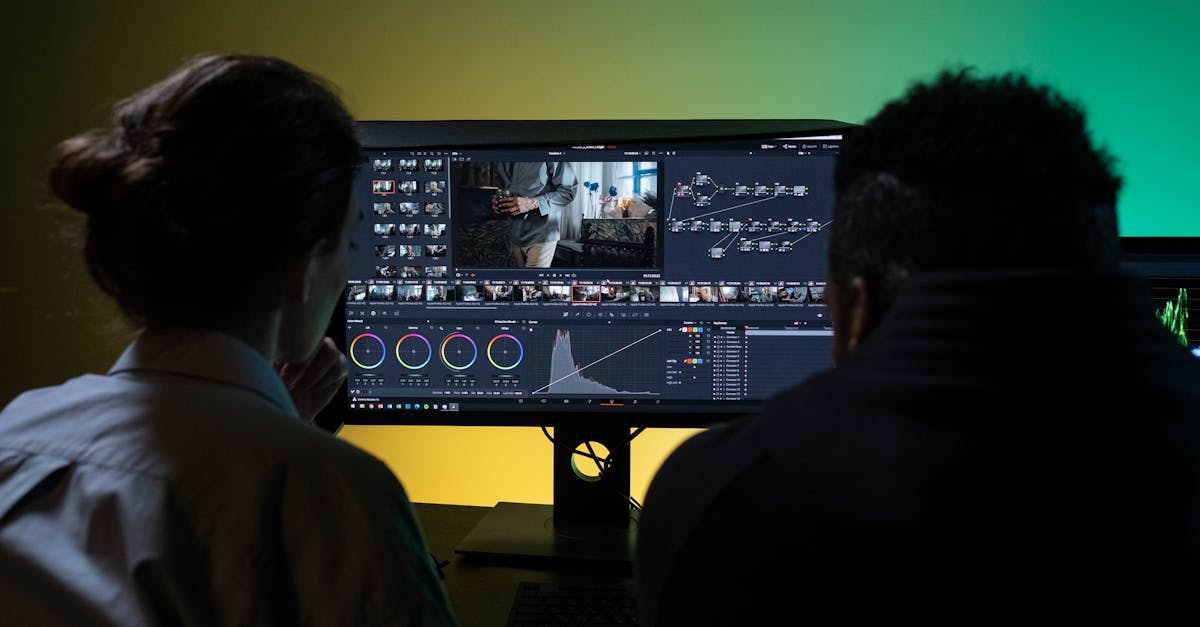
- Tone Curve: create a strong S-curve for dramatic contrast
- Highlights/Shadows: push these further than in color; there’s no color to look unnatural
In color photography, color creates visual interest. In B&W, contrast does that job. A flat, low-contrast B&W photo is boring. Push contrast, clarity, and the tone curve until the image has visual punch. The adjustments that would look garish in color often look powerful in B&W.
Subjects That Work Better in B&W
| Subject | Why B&W Works |
|---|---|
| Sand dunes | Shadows become the subject; texture dominates |
| Road networks | Geometry and pattern without color distraction |
| Industrial scenes | Gritty, graphic quality enhanced by monochrome |
| Shadows on flat ground | Shadow shapes become the composition |
| Cloud formations | Dark sky, bright clouds creates drama |
| Architecture from above | Form and line become the story |
| Winter landscapes | Snow patterns and textures without cold blue tones |
Quick Check
Q: When should you convert a photo to black and white? A: When the image has strong patterns, dramatic shadows, high contrast, flat/unappealing color, or texture that’s more interesting than the color.
Q: What does the Blue slider in Lightroom’s B&W Mix panel do? A: Controls how blue areas (especially sky) convert to grayscale. Dragging it left darkens skies dramatically for the classic “dark sky, bright clouds” look.
Q: Why can you push adjustments harder in B&W than in color? A: There’s no color to look unnatural. Contrast, clarity, and tone curve adjustments that would look garish in color look powerful and intentional in B&W.
What’s Next?
Technical skills are covered. Now let’s talk about the most important skill of all: learning to see.
Pilot Institute: master the craft, not just the camera.