The One-Shot Drone Video
Why It Matters
A one-shot drone video takes a single continuous flight and transforms it into a complete narrative piece through clever editing, speed ramping, and sound design. You are not stitching together multiple clips. You are working with one unbroken take and making it feel like a produced video with distinct segments, reveals, and emotional beats. It is the ultimate test of planning and execution because every second in the air matters.
What makes one-shots so captivating is the “how did they do that?” factor. Viewers assume complex editing happened, but the trick is that you are using the footage itself as raw material for manipulation. Speed changes, digital zoom, and layered audio create the illusion of multiple shots within a single file. When done well, it feels effortless to the audience even though it required meticulous preparation.
The challenge is real. You cannot fix a missed moment with B-roll, and a single mistake means another flight. But that constraint is exactly what makes one-shots so rewarding to master and so impressive to clients who see the final result.
Planning Your Flight Path
Scout your location first. Walk the area, note interesting elements, and imagine how they connect visually. You are looking for a route that transitions between scenes naturally, a path that starts intimate, opens up, and arrives somewhere dramatic.
Map a route that follows this basic structure:
- Start close to a subject — a person, vehicle, or interesting foreground element
- Reveal the landscape — pull up and back to show context
- Travel through or past varied terrain — keep the frame evolving
- End at a dramatic point — a building, cliff edge, or sunset silhouette
The best one-shot paths feel intentional, like the viewer is being guided somewhere specific rather than just wandering.
Flight Settings
Shoot in 4K even if your final output is 1080p. The extra resolution gives you digital zoom headroom for parallax effects and punch-in moments during editing. This single setting decision unlocks the most powerful one-shot technique.
Set your drone to Tripod or Cinematic mode for smooth, controlled movement. These modes limit maximum speed and soften stick inputs, which prevents the jerky motions that scream amateur. Slow, consistent speed is your friend. You can always speed up footage in post, but you cannot smooth out erratic flying.
Keep gimbal movement subtle but intentional. A slow tilt during flight adds cinematic polish, but rapid gimbal adjustments look unnatural. Plan your tilt points in advance and execute them gradually.
Recording Your Take
Hit record before takeoff. The first few seconds on the ground are usable. Sometimes that ground-level perspective becomes an interesting opening once you speed ramp it. Do not waste time getting airborne before rolling.
Fly your planned route slowly. Slower than feels necessary. You can always speed footage up in editing, but stretched slow-motion looks terrible. Give yourself options.
Do multiple takes. Your first attempt will reveal timing issues and obstacles you did not notice. Each subsequent take improves as you internalize the route. Three to five takes gives you choices in post.
Editing: Speed Ramping
The core editing technique for one-shots is speed ramping, changing speed within the clip to create distinct segments. Think of your footage as having different modes:
- Slow for reveals and dramatic moments
- Fast for transitions between locations
- Normal speed for hero shots and established views
Cut at key moments where the environment changes, a tree line, a shift in light, a new landmark appearing. Speed ramp into the change, then settle into the new pace. These transitions make one continuous clip feel like multiple shots.
The rhythm matters. Alternate between fast and slow segments to create visual variety. Three fast-slow-fast sequences feel more dynamic than random speed changes.
Digital Parallax
Here is where 4K pays off. Digital parallax uses the combination of drone movement and digital zoom to create depth. As your drone moves forward, you zoom out digitally in post. The foreground appears to move differently than the background, creating a 3D parallax effect.
Forward movement + zoom out = parallax depth
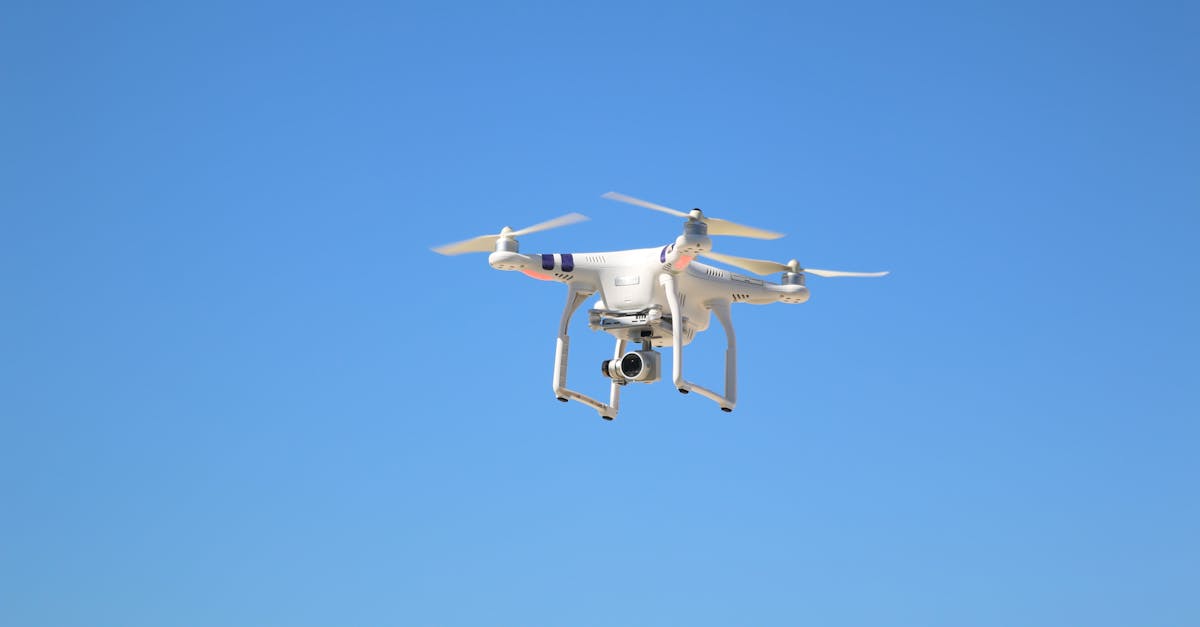
This technique makes flat landscape shots feel immersive and three-dimensional. The key is subtlety. Small zoom changes (110% to 130%) look more natural than aggressive digital zoom. Match your zoom speed to your drone speed for smooth results.
Sound Design for Continuous Footage
Sound design sells the one-shot illusion. Even though your footage is one continuous recording, you can layer different ambient sounds as the environment changes in your frame.
Start with a clean slate (mute the drone audio), then add:
- Nature sounds that match visible elements (birds when trees appear, water near rivers)
- Whoosh effects at speed ramps to emphasize transitions
- Crossfading sound beds as you move between environments
The trick is making audio changes feel motivated by what is visible. When your shot transitions from forest to open field, gradually fade out bird sounds and introduce wind. This audio evolution helps viewers accept that they are watching “different scenes” even though it is one take.
For a deeper dive into these techniques, revisit the previous lesson on sound design. The principles there apply directly to one-shot editing.
Common Mistakes
Flying too fast leaves no room for speed ramping and makes footage feel rushed. Slow down. You can always add speed in post.
No planning results in wandering footage with no narrative arc. Viewers lose interest without visual progression.
Jerky gimbal movements break the cinematic illusion. Use Tripod mode and practice smooth gimbal inputs before your recording takes.
Battery dying mid-route forces emergency landings and ruins otherwise good footage. Always budget battery conservatively.
No visual variety happens when your route stays at one altitude and speed the entire time. A one-shot over identical terrain feels endless. Plan route variety.
Quick Check
Q: What resolution should you shoot in for one-shot videos, and why? A: 4K. The extra resolution provides digital zoom headroom for parallax effects and punch-in moments during editing.
Q: How do you create digital parallax in a one-shot? A: Combine forward drone movement with a gradual digital zoom out in post-production. Foreground and background elements move at different rates, creating depth.
Q: Why is sound design especially important for one-shot videos? A: Layering different ambient sounds and whoosh effects as the environment changes helps sell the illusion that one continuous take contains multiple distinct scenes.
What’s Next?
Mastering one-shots demonstrates the kind of advanced planning and execution that separates hobbyists from professionals. If you are flying commercially, make sure your certification is current with our Part 107 course. Want to complement your video skills with stunning stills? Our Drone Photography course covers composition and editing for aerial images. And when you are ready to turn these skills into income, the Drone Business course shows you how to find clients and price your work.
Learn everything from flight basics to advanced cinematography at Pilot Institute.