Your Flight Kit: What to Bring
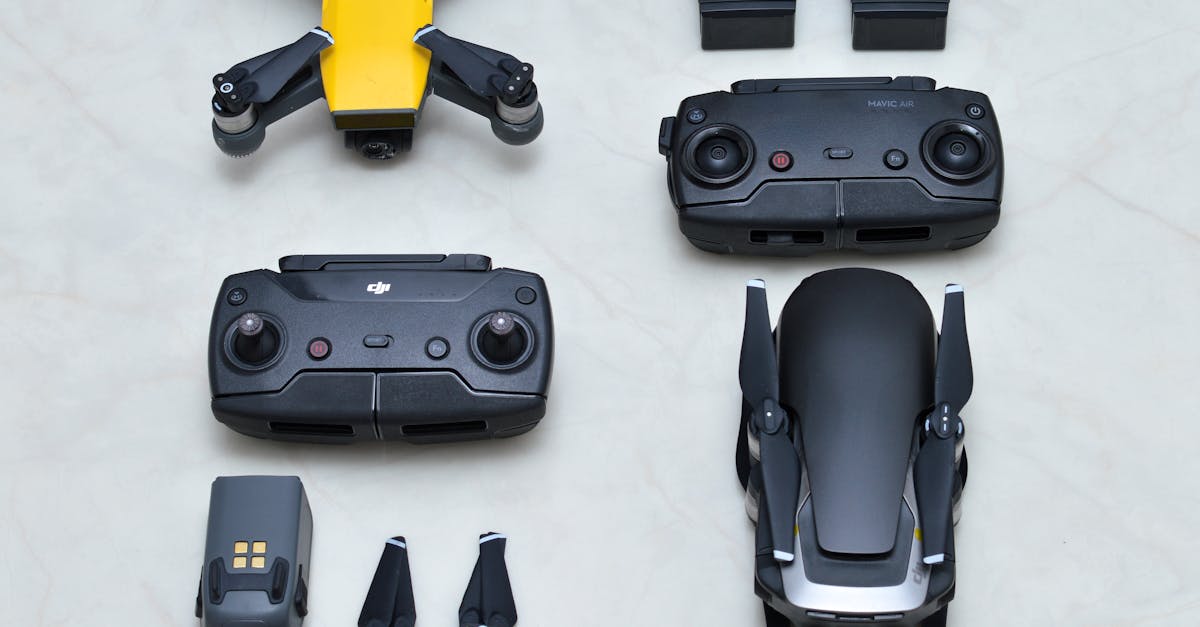
Why a Kit Matters
Nothing ends a flying session faster than realizing you forgot something. A charged battery at home does you no good in the field. Dead phone means no camera view. Wrong SD card means no footage.
After a few flights, packing becomes automatic. But for your first outings, use a checklist.
The Essentials
Batteries — Carry at least three fully charged flight batteries. Each one gives you 20 to 30 minutes of flying time. Three batteries give you roughly an hour and a half of total flight time with breaks for swapping and reviewing footage. Label your batteries (1, 2, 3) so you can track which ones are charged and which are depleted.
Charged controller — The remote controller holds a charge for multiple flights, but check the battery level before leaving home. A dead controller grounds you even if your drone batteries are full.
Phone or tablet — Fully charged, brightness turned all the way up. If you are flying in direct sunlight (which you often will be), maximum screen brightness is the only way to see the live camera feed. Close other apps to prevent lag.
SD card — A fast microSD card, already inserted in the drone. Use a Class 10 / U3 / V30 card, 64GB or larger. 4K video fills up storage quickly. Format the card in the drone’s app before each session to avoid file conflicts.
Formatting the SD card in the app (not on your computer) clears old files and prepares the file system for the drone. Do this before every flying session. It takes five seconds and prevents corrupted files and recording errors.
Spare propellers — Props get chipped, cracked, or bent. Carry at least one full set of four. They snap on and off in seconds on most consumer drones. Inspect them before each flight for cracks near the hub.
Nice to Have
Landing pad — A flat, portable pad gives you a clean surface to launch and land on. Grass can snag the gimbal, dirt gets on the lens, and uneven ground makes landings tricky. A 20-inch folding landing pad costs about $10 and solves all of this.
Sunshade or hood for your screen — Even at maximum brightness, direct sun makes the screen hard to read. A silicone sunshade that slips over your phone or controller makes a noticeable difference.
ND filters — Neutral density filters reduce the light entering the camera, allowing slower shutter speeds for smoother, more cinematic video. They are not essential for your first flights, but they are the single cheapest way to improve video quality once you are comfortable flying.
Microfiber cloth — For wiping the camera lens. A smudged lens ruins every photo and video. Clean it before every flight.
Small tool kit — A propeller removal tool and a small screwdriver. Most modern consumer drones do not require tools for prop changes, but having one in your bag is cheap insurance.
Silica gel packets — Toss a couple in your drone case. They absorb moisture and help prevent condensation inside the electronics, especially if you fly in humid conditions or near water.
Weather Gear
- Wind checker app — UV Forecast or similar. Shows wind speed, direction, and gusts at your location.
- Layers of clothing — Conditions change. Dress for 10 degrees colder than the forecast.
- Gloves (thin touchscreen-compatible) — Cold hands make precise stick movements difficult.

Pre-Flight Packing Checklist
| Item | Check |
|---|---|
| Drone battery (x3, fully charged) | |
| Controller (charged) | |
| Phone / tablet (charged, brightness up) | |
| SD card (formatted, inserted) | |
| Spare propellers | |
| Gimbal protector (removed before flight) | |
| Landing pad | |
| Lens cloth | |
| Airspace app checked | |
| Weather checked |
Print this list or screenshot it. Use it every time until it becomes habit.
Quick Check
Q: How many batteries should you bring to a flying session? A: At least three fully charged batteries. One is not enough for a real session.
Q: Why should you format the SD card before each session? A: Formatting clears old files and prevents recording errors and file corruption. Always format in the drone’s app, not on your computer.
Q: What is the cheapest accessory that improves video quality? A: An ND filter. It allows slower shutter speeds for smoother, more cinematic footage.
What’s Next?
Your kit is packed. Let’s learn what the controller actually does.
For video gear reviews and accessory recommendations, Pilot Institute covers the latest drones and accessories in detail.