Choosing Your Mapping Software
Why It Matters
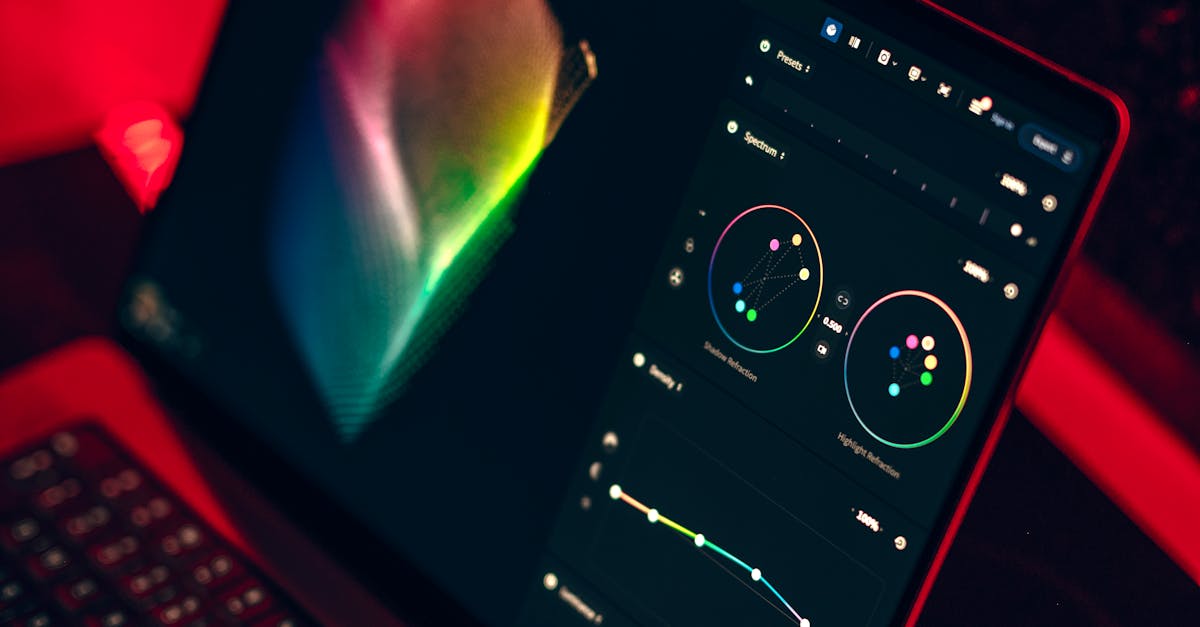
You just flew 400 images over a 50-acre site. Now what? The software you choose determines whether those images become a usable orthomosaic in 2 hours or a frustrating weekend of troubleshooting. Pick wrong, and you are paying for features you do not need or hitting processing walls mid-project. Pick right, and you deliver accurate results on time.
What Photogrammetry Software Does
Photogrammetry software converts overlapping photos into measurable 3D data through four core steps:
- Image alignment: Matches photos by finding common visual features across frames
- Feature matching: Identifies thousands of tie points between overlapping images
- Point cloud generation: Creates 3D coordinates from matched features (typically 50-300 points per square meter)
- Orthomosaic creation: Stitches photos into a single, corrected image with consistent scale
The math is complex. The interface should not be.
Cloud-Based Platforms
DroneDeploy
- Pricing: $399/month (Mapper plan) or $6,600/year (Enterprise)
- Best for: Teams needing fast turnaround and client sharing
- Processing time: 15-45 minutes for 200 images
- Key features: Automated flight apps, measurement tools, built-in annotations, export to 40+ formats
Pros: Zero hardware requirements, collaborative dashboards, dead-simple interface Cons: Subscription only, limited control over processing parameters, data sits on their servers
Pix4Dcloud
- Pricing: $350/month (Advanced) or custom enterprise pricing
- Best for: Construction sites tracking progress over time
- Processing time: 20-60 minutes for 300 images
- Key features: TerraSolid integration, volumetric comparisons, site comparison timelines
Pros: Deep construction workflows, excellent accuracy documentation, robust API Cons: Higher cost, fewer third-party integrations than DroneDeploy, steeper learning curve
Desktop Software
Agisoft Metashape
- Pricing: $3,499 perpetual license (Standard) or $5,499 (Professional)
- Best for: Professionals needing maximum control over every parameter
- Processing time: 2-8 hours for 500 images (depends heavily on hardware)
- Key features: Python scripting, custom GCP placement, multi-camera systems, satellite imagery support
Pros: No subscription trap, incredible parameter control, active user community Cons: Steep learning curve, GPU-dependent performance, sparse documentation
Pix4Dmapper
- Pricing: $420/month or $8,400/year
- Best for: Surveyors with established Pix4D workflows
- Processing time: 1-4 hours for 500 images
- Key features: Quality report generation, RTK integration, corridor mapping, thermal support
Pros: Industry-recognized accuracy reports, excellent GCP workflow, consistent results Cons: Expensive subscription, dated interface, heavy hardware requirements
RealityCapture
- Pricing: $4,000/year
- Best for: High-volume processing where speed matters most
- Processing time: 30-90 minutes for 1,000 images (fastest in class)
- Key features: Laser scan integration, massive dataset handling, real-time preview
Pros: Unmatched processing speed, handles 10,000+ image datasets Cons: Subscription only, fewer export options, limited ground control workflow
Open Source: WebODM
- Pricing: Free
- Best for: Learning photogrammetry fundamentals or budget-constrained projects
- Processing time: 3-10 hours for 300 images (varies by hardware)
WebODM runs OpenDroneMap in a Docker container, giving you browser-based access to full photogrammetry processing. Results rival commercial software for basic orthomosaics and point clouds.
Setup note: You need Docker Desktop installed and at least 16GB RAM. Run docker run -p 3000:3000 opendronemap/webodm and access the interface at localhost:3000. Plan for 45 minutes of initial setup.
Pros: Free forever, transparent algorithms, active GitHub community Cons: Slower processing, no phone support, occasional compatibility issues
GIS Integration
ArcGIS Drone2Map
- Pricing: $1,000/year (included with some ArcGIS licenses)
- Best for: Organizations already in the Esri ecosystem
- Key products: True orthophotos, 2D elevation surfaces, 3D mesh and point clouds, site inspection templates
Drone2Map outputs native Esri formats: LAS point clouds, geodatabase feature classes, and hosted imagery layers that publish directly to ArcGIS Online. The site inspection template generates shareable web apps from your drone data in minutes.
Pros: Seamless ArcGIS integration, no format conversion, enterprise workflows Cons: Requires ArcGIS knowledge, Windows only, limited to Esri export formats
QGIS for Post-Processing
- Pricing: Free
- Best for: Analyzing drone outputs without a GIS budget
QGIS handles the GeoTIFF orthomosaics and LAS point clouds exported from any photogrammetry software. Typical workflow: export from Pix4D or Metashape as GeoTIFF, import to QGIS, run contour generation, volumetric analysis, or vector digitizing.
Pros: Free, cross-platform, massive plugin library Cons: No processing capabilities, separate software step, steeper for GIS beginners
Choosing the Right Tool
| Software | Cost | Learning Curve | Best For | Hardware Needed |
|---|---|---|---|---|
| DroneDeploy | $399/mo | Low | Fast delivery, teams | Any browser |
| Pix4Dcloud | $350/mo | Medium | Construction tracking | Any browser |
| Agisoft Metashape | $3,499 one-time | High | Full control, research | 32GB RAM, dedicated GPU |
| Pix4Dmapper | $8,400/yr | High | Survey-grade reports | 32GB RAM, dedicated GPU |
| RealityCapture | $4,000/yr | Medium | High-volume speed | 64GB RAM, strong GPU |
| WebODM | Free | Medium | Learning, budgets | 16GB RAM minimum |
| Drone2Map | $1,000/yr | Medium | Esri organizations | 16GB RAM, Windows |
| QGIS | Free | Medium-High | Post-processing analysis | 8GB RAM |
Decision framework:
- Learning fundamentals? Start with WebODM. Free, and you will understand what each setting actually does.
- Running a business? DroneDeploy for speed, Metashape for control. Both justify their cost in client deliverables.
- In construction? Pix4Dcloud or Drone2Map depending on your existing tech stack.
- Processing 5,000+ images regularly? RealityCapture’s speed saves real money in compute time.
Quick Check
Q: Can I switch software mid-project? A: You can, but it is painful. Raw images transfer easily, but GCP placements, quality reports, and project settings do not. Pick your tool before processing starts.
Q: Is free software accurate enough for paid work? A: WebODM produces survey-grade results when used correctly with ground control points. The limitation is workflow speed and support, not output accuracy.
Q: Do I need a gaming computer for desktop software? A: Not gaming-specific, but yes to the specs. You need a dedicated GPU (NVIDIA RTX 3060 or better), 32GB RAM, and 1TB+ SSD for serious processing. Cloud platforms bypass this entirely.
What’s Next?
You have picked your software. Now let us talk about what comes out of it: the actual mapping products you will deliver to clients. Orthomosaics, point clouds, DEMs, 3D meshes, each serves a different purpose and commands different pricing.
Looking for recommended hardware builds optimized for photogrammetry? Pilot Institute covers processing workstation setup in their drone mapping courses.