FPV Equipment: Goggles, Radios & Accessories
Why It Matters
FPV equipment lasts for years. Your goggles and radio controller will outlive multiple drones, working with everything from micro Whoops to 5-inch quads. Buying wisely the first time saves you from the expensive cycle of buying cheap, getting frustrated, and buying again.
Camera drones come in one box. FPV requires assembling a system where each piece needs to work with the others. Your radio talks to your drone. Your goggles receive video from your drone. Your batteries power everything.
FPV Goggles
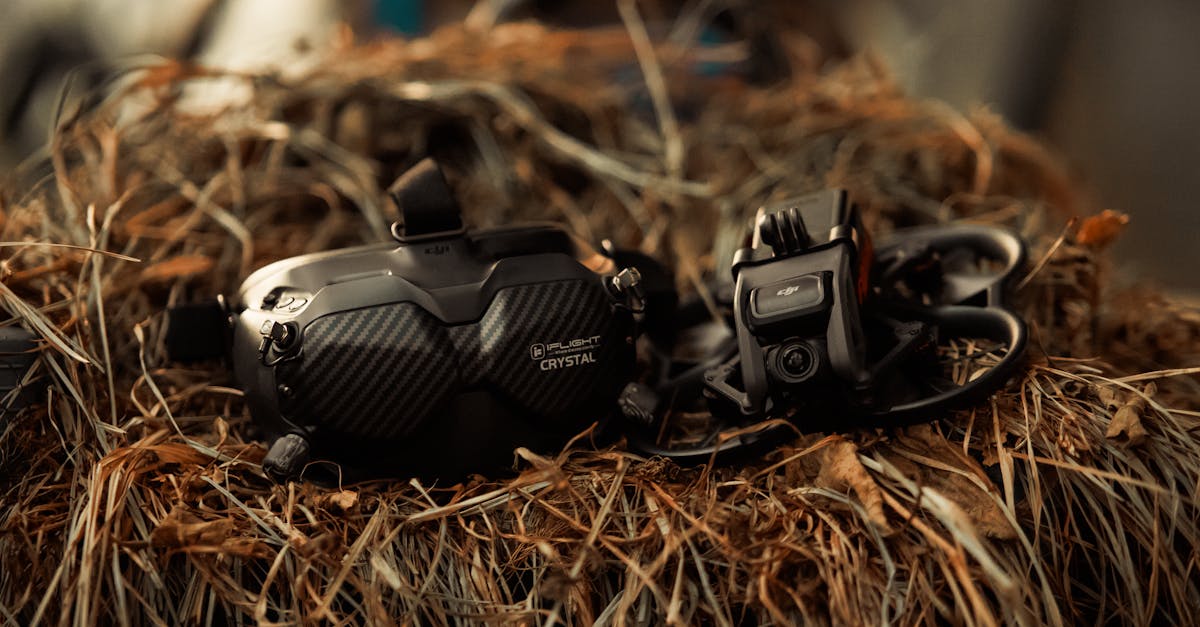
Box Goggles vs Binocular Goggles
Box goggles use a single screen viewed through a lens, like watching a TV strapped to your face. They’re typically cheaper but bulkier. Some people experience eye strain with box goggles because both eyes focus on the same screen.
Binocular (or “goggle-style”) goggles have two separate micro-displays, one for each eye. They’re more immersive and comfortable for long sessions. Most modern FPV goggles use this design.
Key Factors When Choosing Goggles
-
Future compatibility: does it have an HDMI input for digital receivers? Can it accept analog modules? Goggles that support both analog and digital work with whatever system you fly next.
-
Comfort and fit: you’ll wear these for 30+ minutes at a time. If they press on your nose, fog up, or slip, you’ll hate flying. If possible, try goggles on before buying.
-
Prescription lenses: if you wear glasses, check whether the goggles accept prescription lens inserts. Some goggles (like the Skyzone SKY04X) have diopter adjustment built in.
-
Receiver quality: the built-in video receiver determines how well your goggles pick up the drone’s video signal. Look for goggles with diversity receivers (two antennas) for better signal reliability.
-
IPD adjustment: inter-pupillary distance (IPD) adjustment lets you set the distance between the two displays to match your eyes. Without it, the image may be blurry or cause headaches.
Popular Goggles
| Goggles | Type | Price | Notes |
|---|---|---|---|
| Skyzone SKY04O | Analog binocular | ~$250 | Analog + digital-ready, OLED displays |
| Fat Shark Attitude V6 | Analog binocular | ~$300 | Reliable, comfortable, wide FOV |
| DJI Goggles 2 / 3 | Digital | ~$400-500 | Works with DJI FPV/Avata, sharp HD |
| Walksnail Goggles L | Digital | ~$350 | Walksnail digital system |
Radio Controllers
Why Your Radio Matters Most
Your radio controller is the piece of FPV equipment you’ll keep the longest. It’s how you communicate with your drone, and it’s how you practice in simulators. A good radio works with every drone you’ll ever own.
Key Features to Look For
- ExpressLRS (ELRS): the dominant radio protocol for FPV. Long range, low latency, open source. Most new radios come with ELRS built in.
- Hall effect gimbals: these use magnetic sensors instead of potentiometers, providing smoother, more precise stick movement that doesn’t degrade over time.
- Form factor: full-size radios (like the Radiomaster TX16S) have more switches and larger screens. Compact radios (like the Radiomaster Boxer) are easier to transport and more comfortable for smaller hands.
Recommended Starter Radios
| Radio | Price | Features |
|---|---|---|
| Radiomaster Boxer | ~$120 | ELRS, hall gimbals, compact, excellent value |
| Radiomaster TX16S | ~$200 | ELRS, hall gimbals, full-size, touchscreen |
| TBS Tango 2 | ~$180 | Compact, Crossfire protocol, sliding sticks |
Batteries and Chargers
LiPo Batteries
FPV drones run on lithium polymer (LiPo) batteries. They’re lightweight, powerful, and require careful handling. Key specs:
- Cell count (S): more cells means more voltage means more power. Whoops typically use 1S-2S; 5-inch quads use 4S-6S.
- Capacity (mAh): higher capacity means longer flight time but more weight.
- C-rating: discharge rate. Higher C means the battery can deliver more current for aggressive flying.
Battery Safety
LiPo batteries can catch fire if damaged, overcharged, or stored fully charged. Basic rules:
- Never charge unattended
- Use a LiPo-safe charging bag or fireproof container
- Store at storage voltage (~3.8V per cell) when not flying
- Dispose of puffed or damaged batteries immediately
Chargers
Look for a charger that supports balance charging (charges each cell individually) and can handle the battery types you use. The ISDT Q6 Pro and ToolkitRC M8 are popular compact options.
Simulators
Why Simulators Are Essential
Practice in a simulator before flying real hardware. Simulators let you crash endlessly for free, building the muscle memory that makes real flying possible.
A simulator costs $15-25. One real crash on a 5-inch quad costs $50-200 in repairs.
Popular FPV Simulators
| Simulator | Price | Notes |
|---|---|---|
| VelociDrone | ~$20 | Most popular, multiplayer racing, regular updates |
| Liftoff | ~$20 | Freestyle-focused, beautiful environments |
| FPV.SkyDive | Free | Basic but good for absolute beginners |
| Uncrashed | ~$15 | Smooth physics, good graphics |
Your radio controller connects to your computer via USB and controls the simulator directly. You’re practicing with the exact same sticks you’ll use in real life.
Quick Check
Q: What radio protocol is dominant in modern FPV? A: ExpressLRS (ELRS). Long range, low latency, open source.
Q: What should you look for in goggles to future-proof your purchase? A: HDMI input for digital receivers and modular receiver bays that support both analog and digital systems.
Q: Why should you practice in a simulator before flying a real FPV drone? A: Crashing in a simulator is free; crashing a real drone costs $50-200+ in repairs. Simulators build muscle memory safely.
What’s Next?
With your equipment sorted, let’s get into a simulator and start actually flying, beginning with basic controls and your first takeoff.