From Shoot to Delivery
The Complete Professional Workflow
You need a workflow you can repeat. Here’s the process from client contact to final payment.
Pre-Shoot (Day Before)
- Review the client brief: what do they need? Aerial photos only? Video? Both? Any specific angles or features to highlight?
- Check airspace: use B4UFLY or Aloft to verify you can legally fly at the location. Get LAANC authorization if you’re in controlled airspace.
- Scout on Google Maps: satellite view shows obstacles, neighboring properties, power lines. Plan your takeoff and landing zones.
- Confirm weather: wind speed, visibility, cloud ceiling. Postpone if conditions aren’t safe.
- Charge everything: batteries, controller, tablet. Format SD cards.
Day of the Shoot
Arrive 15 Minutes Early
Walk the property before unpacking your drone. Look for:
- Power lines and cell towers nearby
- Trees that could block shots
- People, pets, and vehicles in the area
- Sun position relative to your key angles
Talk to the Client
If the client is on-site, confirm what matters most to them. A realtor might say “the backyard view is the selling point.” A construction manager might need specific progress angles. Align before you fly.
Clients who see you doing a thorough site walkthrough perceive you as more professional. It also prevents surprises mid-flight.
Shooting Systematically
Don’t fly randomly. Work methodically:
- Wide establishing shots: property in context, neighborhood, landscape
- Medium shots: the property itself from multiple angles
- Detail shots: specific features the client wants highlighted
- Creative angles: orbit shots, reveals, fly-throughs
Take multiple takes of everything important. A second attempt costs 30 seconds. A reshoot costs a second trip.
Check Footage Before Leaving
Plug your SD card into your laptop. Scroll through your clips. Confirm you got what you need. This 5-minute check saves hours of regret.
Post-Shoot
Backup Immediately
Copy all footage to two separate locations before doing anything else. Never edit from an SD card. Transfer first, then format.
Organize by Project
/Projects/
  /[Date]_[ClientName]/
    /Raw/           — original footage
    /Selects/       — best clips
    /Exports/       — final deliverables
    /Project/       — editing project file
Editing
- Select your best clips first: don’t edit everything, only the winners
- The 10-second rule: if a clip doesn’t add value in the first 10 seconds, cut it
- Color grade for consistency: match the look across all clips
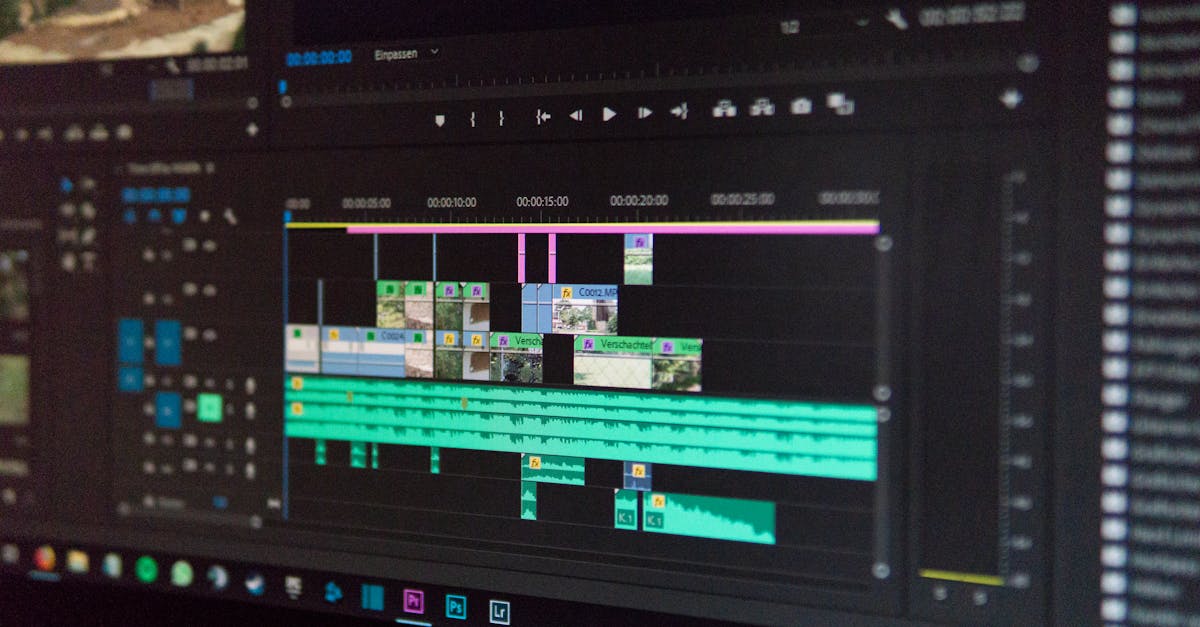
- Add appropriate music: licensed, matching the mood and pace
- Export multiple formats:
- Full-resolution master (4K ProRes or H.265)
- Web-optimized version (1080p H.264)
- Social media cuts (vertical for Instagram/TikTok)
Delivery
Upload to cloud storage (Google Drive, Dropbox) and send the client a link. Name files clearly: [PropertyName]_AerialVideo_4K.mp4.
Invoicing
Send your invoice within 24 hours of delivery. Include:
- Project description
- Deliverables list
- Total amount
- Payment terms (Net 15 or Net 30)
- Multiple payment options (check, Venmo, PayPal, wire)
For new clients, Net 15 (payment due within 15 days) is reasonable. Long-term clients can get Net 30. Don’t extend credit to strangers.
Follow Up (1 Week Later)
- Check if they’re satisfied
- Ask for a testimonial
- Ask for referrals
- Mention your availability for future projects
Quick Check
Q: What’s the recommended shooting order? A: Wide establishing shots, then medium shots, detail shots, and creative angles.
Q: How many backup copies of footage should you make? A: Two separate locations minimum, before you start editing.
Q: When should you send the invoice? A: Within 24 hours of delivering the final files.
What’s Next?
Your workflow is dialed. Now let’s talk about what happens when you have more work than you can handle: scaling beyond solo.
Pilot Institute: training from pilots who’ve built real businesses.