Where Can You Fly a Drone? Laws, Maps, and Apps (2026)
Figuring out where it's legal to fly is the most confusing part of being a drone pilot. Here's how to read airspace maps, check for TFRs, and stay out of trouble.
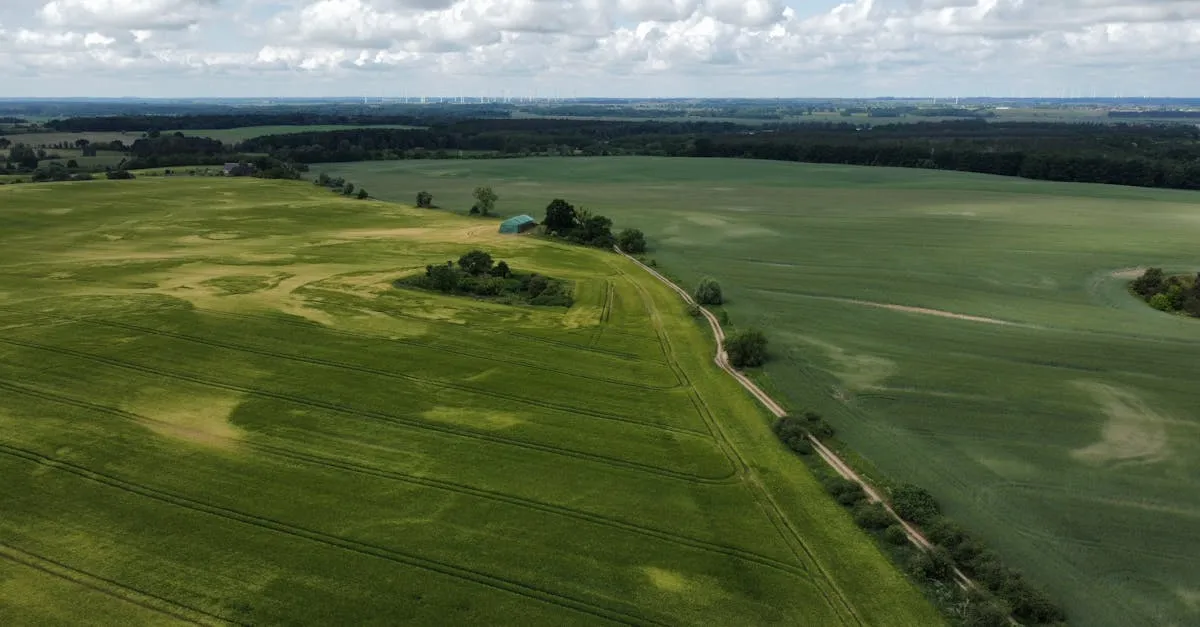
You can fly a drone in Class G (uncontrolled) airspace without FAA permission, provided you stay below 400 feet AGL and maintain visual line of sight. Flying in controlled airspace near airports (Class B, C, D, or surface Class E) requires LAANC authorization or a manual request through FAA DroneZone. National parks, military bases, and active TFRs are always off-limits.
You bought a drone. You charged the batteries. You’re standing in a nice, open field ready to launch. But wait — can you actually fly there?
Figuring out where to fly a drone legally is the single most confusing part of being a drone pilot. The rules feel like a tangled mess of federal regulations, local ordinances, and invisible lines in the sky. If you guess wrong, you risk heavy fines or losing your drone.
Let’s cut through the noise. Here’s exactly how to figure out where you can and cannot fly your drone in 2026.
The Airspace Hierarchy: Where Can You Fly?
To know where you can fly, you have to understand how the FAA classifies airspace. For drone pilots under Part 107, it boils down to two categories: uncontrolled and controlled.
Class G Airspace (Uncontrolled)
Class G is the vast majority of the airspace in the United States. It extends from the surface up to 700 or 1,200 feet above ground level (AGL), depending on the location. If you’re flying in Class G airspace, you don’t need any special permission from the FAA. You still have to follow standard Part 107 rules (like staying below 400 feet and keeping the drone in your visual line of sight), but you don’t have to ask anyone to take off.
Class B, C, D, and E Surface Areas (Controlled)
This is where things get restrictive. Controlled airspace exists around airports to keep manned aircraft safe. If you look at an airspace map and see a solid blue circle (Class B), a solid magenta circle (Class C), or a dashed blue circle (Class D), you’re looking at controlled airspace.
If you want to fly a drone in Class B, C, D, or surface-level Class E airspace, you need LAANC authorization before your props spin.

The Biggest Hurdle: Airports and Controlled Airspace
Controlled airspace near airports is the biggest restriction for most pilots. You might be five miles from a major airport, but if your location falls under that airspace umbrella, you’re grounded without permission.
The FAA created a system to handle this: LAANC (Low Altitude Authorization and Notification Capability).
How LAANC Works
LAANC is an automated system that grants near-instant airspace authorization. You request access through an app, the system checks your location against a grid map, and if approved, you get clearance in seconds.
However, LAANC comes with altitude limits. The airspace is divided into a grid, and each grid cell has a specific maximum altitude. You might be approved to fly at 50 feet in one cell, and 200 feet in the cell right next to it. If you need to fly higher than the LAANC grid allows, you have to use the FAA DroneZone portal to request authorization, which takes longer and isn’t guaranteed.
What if LAANC Isn’t Available?
LAANC covers a massive portion of the US, but there are gaps. If you’re in controlled airspace where LAANC isn’t available, you must submit an authorization request directly through the FAA DroneZone website. Plan ahead — manual approvals can take several days.
Apps and Maps You Need
You cannot guess where airspace boundaries are. You need apps on your phone to tell you exactly what rules apply to the patch of ground you’re standing on.
B4UFLY — The FAA’s official airspace data, delivered through approved third-party apps. It shows airspace restrictions, highlights where LAANC authorization is available, and pulls data straight from the source. If you only download one app, make it a B4UFLY app like Aloft or AutoPylots. Free on iOS and Android.
Aloft (formerly Kittyhawk) — Another popular airspace awareness app. Many pilots prefer Aloft’s interface over other B4UFLY apps. It shows LAANC grids and altitudes clearly, and includes flight logging and weather briefings in one place.
Quick Rules Summary
- Class G Airspace: Fly freely (no FAA permission needed)
- Class B/C/D/E Surface: LAANC or DroneZone authorization required
- Max Altitude: 400 feet AGL, unless within 400 feet of a structure
- National Parks: Banned on all National Park Service lands
- Military Bases: Strictly prohibited
- Stadiums: 3 NM radius TFR during events with 30,000+ seats
- Night Flying: Legal with anti-collision lights visible for 3 SM (night training required)
- TFRs: Check before every single flight
TFRs: The Moving Target
Airspace maps show permanent rules. TFRs (Temporary Flight Restrictions) show temporary ones, and they’re the traps that catch experienced pilots off guard.
A TFR can appear anywhere at any time. They pop up for presidential movements (VIP TFRs), wildfire suppression, disaster relief, major sporting events, and space launches. A TFR can turn your favorite wide-open Class G field into a strictly prohibited zone overnight.
You must check for TFRs before every single flight. Do not assume that because you flew somewhere last week, it’s clear today.
Stadium TFRs
Any stadium with a seating capacity of 30,000 or more gets a 3 nautical mile radius TFR from the surface up to 2,500 feet AGL. This TFR goes active one hour before the scheduled event and expires one hour after it ends. It applies to both Class G and controlled airspace, and LAANC cannot authorize you through it. If a game is happening, you cannot fly anywhere near that stadium.
No-Fly Zones Beyond Airspace
Even if the FAA airspace map gives you the green light, other rules might stop you from flying.
National Parks
Drones are banned on all National Park Service (NPS) lands. This includes national parks, monuments, battlefields, and seashores. Since 2014 the NPS has closed every unit of the park system to launching, landing, and operating unmanned aircraft, using its closure authority under 36 CFR 1.5 (Policy Memorandum 14-05). The NPS treats the airspace above park lands as part of that closure, so the safe assumption is that flying over a park is prohibited, full stop.
Some pilots argue that an overflight launched from outside the boundary is beyond the NPS’s reach, because only the FAA regulates airspace — but that position is legally contested, rangers do cite pilots for it, and the moment you descend, crash, or land inside the park you are squarely in violation. Don’t plan Grand Canyon footage on that theory.
Military Installations
Flying over or near military bases is strictly prohibited. Military airspace is heavily restricted, and they don’t grant LAANC authorizations to civilian Part 107 pilots. If you see a military base on your map, stay far away.
Wilderness Areas
Congressional Wilderness Areas are generally off-limits to drones. These are pristine, highly protected areas managed by the Forest Service, BLM, or Fish and Wildlife Service. The standing policy is that motorized vehicles — including drones — aren’t permitted in designated wilderness zones.
State and Local Laws
This is where the real headache begins. The FAA controls the national airspace, but local governments control the land beneath it.
Some states have passed laws making it illegal to fly over state parks. Some cities ban drones in all city parks, while others welcome them. Some local ordinances prohibit flying over private property without permission. Always look up the specific rules for the city or county you’re flying in.
Altitude, Night, and People Rules
Once you find a legal spot to fly, you still have to follow Part 107 operational rules.
Maximum Altitude
The standard maximum altitude for drones is 400 feet AGL. The structure exception allows you to fly up to 400 feet above a building or tower if you stay within 400 feet of it horizontally. So a 500-foot building means you can legally fly at 900 feet AGL nearby.
Night Flying
Night flying is legal under Part 107 with no waiver, provided you’ve completed the night-operations training that’s bundled into the initial knowledge test and the free online recurrent training. The other requirement is anti-collision lighting visible for at least 3 statute miles with a flash rate sufficient to avoid collision. The lights need to be on the drone, not on the controller.
Operations Over People
If your flight path takes you over people who aren’t participating in the operation, the Operations Over People rule applies. The FAA broke this into four categories based on drone weight and design:
- Category 1: Drones weighing 250g or less on takeoff with no exposed rotating parts that could lacerate skin — prop guards are typically how you get there
- Category 2: Drones with an FAA-accepted Declaration of Compliance showing injury severity below 11 foot-pounds
- Category 3: Declaration of Compliance below 25 foot-pounds — restricted to closed/restricted-access sites with notice, or no sustained flight over anyone; never over open-air assemblies
- Category 4: Drones holding an FAA airworthiness certificate under Part 21, flown within their Flight Manual limits
Don’t assume your drone fits one. Most consumer drones meet neither Category 1 nor 2: a Mavic 3 or Air 3S is far too heavy for Category 1, and no DJI models appear on the FAA’s accepted Category 2 Declaration of Compliance list. A Mini-class drone is the realistic Category 1 candidate, but note the squeeze — the aircraft needs no exposed lacerating parts (guards) while weighing 250g or less at takeoff, and full prop guards can push a 249g airframe over the line.
The Golden Rule
If you take one thing away from this article: always check airspace before every flight, even at locations you’ve flown a dozen times before.
TFRs can appear at any time. A local city council can pass a park ban overnight. A construction project might temporarily change the airspace classification. Relying on memory is the fastest way to get into trouble with the FAA. Pull out a B4UFLY app like Aloft or AutoPylots, verify the airspace, check for TFRs, and confirm local rules. It takes sixty seconds and saves you thousands of dollars in fines.
Frequently Asked Questions
Do I need permission to fly near an airport? Yes, if you’re in Class B, C, D, or surface-level Class E airspace. You must get LAANC authorization before flying. If LAANC is unavailable, submit a manual request through FAA DroneZone, which can take several days.
What’s the maximum altitude for drones under Part 107? 400 feet AGL is the standard limit. The structure exception allows flying up to 400 feet above a building or tower if you stay within 400 feet of it horizontally.
Can I fly a drone in a National Park? No. Launching, landing, and operating drones is prohibited on all National Park Service lands under 36 CFR 1.5 closures, and the NPS treats the airspace above the parks as included. Overflights launched from outside are legally contested — don’t rely on that argument — and crashing or landing inside the park is a clear violation.
Is night flying legal under Part 107? Yes, without a waiver, as long as you’ve completed the night-operations training in your initial or recurrent course. Your drone must have anti-collision lighting visible for at least 3 statute miles.
What are the stadium TFR rules? Stadiums with 30,000+ seats get a 3 nautical mile radius TFR from surface to 2,500 feet AGL, active from one hour before to one hour after the event. LAANC cannot authorize you through it.
What’s the best app to check airspace? B4UFLY is the FAA’s official airspace data, shown through approved third-party apps rather than an FAA app of its own. Aloft (formerly Kittyhawk) is a popular option with clear LAANC grid displays and built-in flight logging.
Knowing where to fly is just one piece of the puzzle. If you want to fly legally under Part 107 and turn your drone into a business tool, you need to pass the FAA knowledge test.
Check out our free Getting Started with Drones course if you’re new to the space, or dive straight into our free Part 107 Complete Course to prepare for your exam. If you want a proven study system, grab the Pilot Institute Part 107 Course and get your license on your first try.