Understanding NOTAMs: The Pre-Flight Check You Can't Skip
NOTAMs tell you what's happening in the sky right now. Here's how to read them, where to find them, and why skipping this step can cost you your certificate.

NOTAMs are temporary notices containing critical flight safety information that every Part 107 pilot must check before each flight. They cover TFRs, VIP movements, emergency response zones, and hazards like inoperable obstacle lights. Failing to review NOTAMs can result in certificate suspension, fines, and serious safety incidents.
Picture this: you’ve got a perfect day for flying, your drone is charged, you scouted a great location, and you’re ready to launch. Then an FAA inspector shows up and asks if you checked NOTAMs before your flight. You didn’t. Right there, you’re looking at a violation that could suspend your Part 107 certificate.
That scenario plays out more often than you’d think. NOTAMs are one of the most overlooked steps in pre-flight planning, and they’re also one of the easiest ways to get yourself in trouble with the FAA.
What Exactly Is a NOTAM?
NOTAM stands for Notice to Air Missions. You might see older materials call it “Notice to Airmen,” but the FAA updated the name a while back to be more inclusive of all missions, not just crewed aircraft.
A NOTAM is essentially a heads-up. It’s time-critical information that could affect the safety of your flight. Think of NOTAMs as the aviation world’s breaking news feed. They tell you about temporary changes, hazards, and restrictions that aren’t reflected on your sectional chart or in the airspace maps you normally use.
The key word here is “temporary.” NOTAMs pop up and go away. A runway closure might generate a NOTAM for a week. A presidential TFR might appear with just a day’s notice and disappear after the VIP leaves town. That’s exactly why you need to check them before every single flight, not just when you’re flying somewhere new.
Types of NOTAMs You’ll Encounter
NOTAMs come in a few different flavors, and knowing the difference helps you sort through them faster.
FDC NOTAMs come from the Flight Data Center and cover regulatory changes. These are the big ones. If there’s a temporary change to an airspace designation, a new restriction, or an amendment to a published procedure, it shows up as an FDC NOTAM. For drone pilots, FDC NOTAMs are often the ones that establish TFRs.
Pointer NOTAMs do exactly what they sound like. They point you somewhere else for the actual details. Instead of spelling out all the information, a pointer NOTAM tells you to look at another NOTAM or a different source.
Military NOTAMs cover information specific to military airspace and operations. If you’re flying near a military installation or an area used for military training, these NOTAMs will tell you what’s happening.
NOTAM Ds cover airport and facility information — runway closures, lighting outages, navigational aid status. These are less relevant for most drone operations, but if you’re flying near an airport, you might see them referencing runway lights or navigation equipment.
Common NOTAMs That Affect Drone Pilots
Most NOTAMs in the system apply to crewed aircraft. Runway closures and instrument approach changes don’t matter much when you’re flying a drone at 200 feet. But several types of NOTAMs can directly impact your Part 107 operations.
Temporary Flight Restrictions (TFRs) are the big one. TFRs are issued through the NOTAM system, and violating a TFR is a serious offense. Common TFRs you’ll see include presidential movement (when the President or Vice President travels, a TFR follows them), disaster response areas (wildfires, hurricane recovery), and stadium events. That stadium TFR kicks in automatically when a venue holds a certain number of people, and it covers from the surface up to 2,500 feet AGL for a radius of three nautical miles.
VIP flights go beyond just the President. High-ranking government officials and foreign dignitaries get TFR protection too. These can pop up with short notice and move around.
Emergency response TFRs are particularly tricky because they can appear with almost no warning and cover large areas. When there’s a major wildfire, the FAA often establishes a TFR to keep drones out of the way of firefighting aircraft. Flying in one of these doesn’t just risk your certificate — it could ground air tankers that are trying to save homes and lives.
Inoperable obstruction lights might seem minor, but they matter. Towers and tall structures are required to have lighting, and when those lights are out, a NOTAM gets filed. As a drone pilot, you need to know about unlit obstacles in your area, especially if you’re flying at night or in reduced visibility.
Hazards like parachute jumps, air shows, and rocket launches all generate NOTAMs. Even if you’re not flying anywhere near a rocket launch site, the associated TFR can be enormous.
How to Check NOTAMs Before Every Flight
The Part 107 rules are clear: the remote pilot in command must check NOTAMs before each flight. Not most flights. Not flights in unfamiliar areas. Every single flight.
The good news is that checking NOTAMs has gotten easier over the years.
FAA NOTAM Search (notams.aim.faa.gov) is the official source. You can search by location, airport identifier, or geographic coordinates. It’s comprehensive but the interface takes getting used to — the raw NOTAM text can look like alphabet soup with all the codes and abbreviations.
1800wxbrief.com is the online portal for flight service, and it’s the answer to a question that shows up on the FAA knowledge test. If the FAA asks how you’d check NOTAMs about an unmarked balloon in your area, the correct answer is obtaining a briefing through an online source like 1800wxbrief.com.
B4UFLY — FAA airspace data delivered through approved third-party apps such as Aloft — shows airspace authorizations and includes NOTAM information. It’s a straightforward option for checking conditions before a flight.
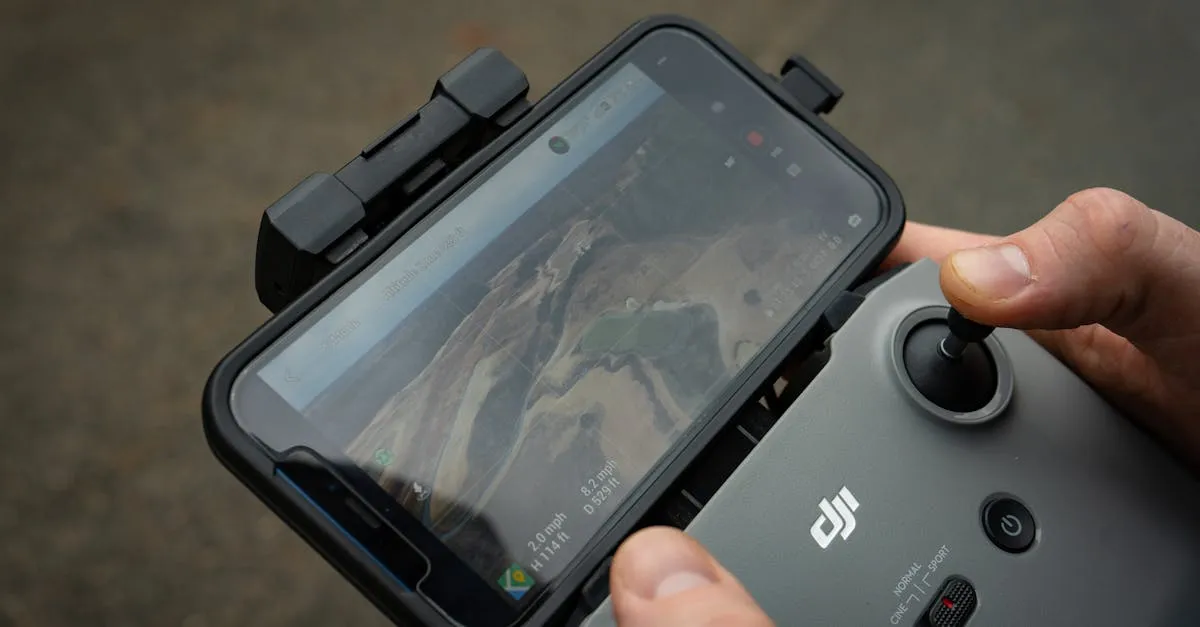
Drone flight planning apps like Aloft and AutoPylots include NOTAMs in their pre-flight briefings. They pull NOTAM data and display it on a map, filtering out notices that don’t apply to drone operations.
The practical approach: pick one or two tools and make them part of your routine. Open your app, check your location, and scroll through any active NOTAMs before you unpack your drone. It takes about two minutes once you’re familiar with the process.
What Happens If You Ignore a NOTAM
Flying in a TFR published as a NOTAM is a certificate action waiting to happen. The FAA has levied fines in the tens of thousands of dollars for TFR violations, and they’ve suspended Part 107 certificates for months or longer.
Beyond the regulatory consequences, there are real safety implications. Flying in an active TFR during a disaster response could interfere with rescue helicopters. Hitting an unlit tower because you didn’t check the NOTAM about inoperative lights could destroy your drone and create a hazard on the ground.
Checking NOTAMs is free, takes a couple of minutes, and protects both your certificate and the people in the air around you. There’s no good reason to skip it.
Frequently Asked Questions
What does NOTAM stand for? Notice to Air Missions, previously Notice to Airmen. These notices provide time-critical, temporary information about airspace changes, hazards, and restrictions that could affect flight safety.
What types should drone pilots focus on? Prioritize Temporary Flight Restrictions, VIP movement notices, emergency response TFRs, inoperable obstruction light reports, and hazard notices for activities like parachute jumps and air shows.
Where can I check NOTAMs? The FAA NOTAM Search website, 1800wxbrief.com, or a B4UFLY app such as Aloft or AutoPylots, which filters NOTAMs specifically for drone operations.
What are the consequences of ignoring NOTAMs? Violating a TFR can result in certificate suspension and fines reaching tens of thousands of dollars. You also risk interfering with emergency aircraft or colliding with unlit obstacles.
How long do NOTAMs typically last? Duration varies widely. A runway closure might last a week, while a presidential TFR could appear with a day’s notice and disappear once the VIP leaves the area.
Why must I check NOTAMs at familiar locations? NOTAMs reflect real-time changes not shown on sectional charts. Even familiar locations may have new temporary restrictions you’ll only discover by checking before each flight. Our free Part 107 Course covers NOTAMs, TFRs, and every other regulation you need to know.