10 Most Common Mistakes New Drone Pilots Make
Every mistake on this list has cost a drone pilot money, footage, or a visit from the FAA. Here's how to avoid all ten.
The ten most costly mistakes new drone pilots make include not checking airspace, flying with uncalibrated compasses, forgetting SD cards, flying backward without visual line of sight, ignoring RTH altitude setup, underestimating wind at altitude, overcorrecting stick inputs, skipping LAANC authorization near airports, neglecting firmware updates, and pushing batteries below 20%. Each one has cost pilots money, footage, or FAA fines.
Let’s be honest: getting a new drone is incredibly exciting. You unbox it, charge the batteries, and practically run outside to get it in the air. We’ve all been there. But that excitement can lead to costly, frustrating, or even dangerous mistakes.
Whether you just bought your first consumer drone or you’ve logged a few dozen flights, the transition from “person with a cool toy” to “competent remote pilot” is paved with hard lessons. Most of these mistakes aren’t due to a lack of intelligence — they’re simply due to a lack of experience.
To save you from crashing your investment or getting a very uncomfortable letter from the FAA, here are the ten most common mistakes new drone pilots make — and exactly how to avoid them.
1. Not Checking Airspace Before Flying
What happens: You launch, start having a great time, and realize you’re flying directly under a flight path or in restricted airspace.
Why it’s dangerous: Manned aircraft move incredibly fast, and a collision would be catastrophic. Flying in restricted airspace without permission is a serious federal offense with heavy fines.
How to avoid it: Before you take the drone out of its case, check the airspace. Download an FAA-approved B4UFLY app like Aloft or AutoPylots and use it every single time. More importantly, check Temporary Flight Restrictions (TFRs). They pop up suddenly for emergencies, presidential movements, or sporting events — flying in one, even accidentally, is a major violation.
2. Flying with a Low or Uncalibrated Compass
What happens: Your drone hovers normally, but the moment you try to fly forward, it drifts sideways. Or worse, it suddenly flies away on its own, ignoring your controller inputs.
Why it’s dangerous: Your drone’s compass tells it which way is North. If it’s uncalibrated or experiencing magnetic interference, the navigation system gets confused. It thinks it’s flying one direction when it’s going another. This is the primary cause of “flyaways.”
How to avoid it: Calibrate your compass every time you fly in a new location. Do it away from concrete, metal structures, and parking lots — these mess with the magnetic sensors. If the app gives you a compass error after calibration, don’t ignore it. Find a new spot.
3. Forgetting to Insert the SD Card
What happens: You spend twenty minutes capturing the most breathtaking sunset footage of your life. You bring the drone home, turn on your computer, and realize there’s nothing on the internal storage.
Why it’s dangerous: It won’t crash your drone, but it will crush your soul. It happens to everyone at least once, and the heartbreak never really goes away.
How to avoid it: Create a strict pre-flight checklist. Before you mount the propellers, physically open the SD card slot and verify the card is seated. Make it muscle memory. As a bonus, format your SD card in the app after you’ve backed up footage at home — formatting prevents corrupted files.
4. Flying Backward or Sideways Without Line of Sight
What happens: You’re looking at your screen, pulling the right stick back to get a dramatic dolly-out shot, when you hear a terrible crunching sound. You’ve backed your drone directly into a tree.
Why it’s dangerous: This is the number one cause of tree and obstacle collisions. Drone cameras have wide-angle lenses that distort depth perception. It’s incredibly difficult to tell how close you are to an object on screen. When you fly backward or sideways, you’re moving into space you haven’t visually scanned.
How to avoid it: Always maintain Visual Line of Sight (VLOS). If you need to fly backward, turn the drone so the camera faces the direction of travel, or have a friend act as a spotter. If you must fly using only the screen, do it slowly and assume every shadow belongs to a tall obstacle.
5. Taking Off Without Setting RTH Altitude
What happens: You lose connection with your drone. Panic sets in. Then you remember Return to Home! You wait for it to come back — only to hear a crash. The drone flew straight into a building on its way home.
Why it’s dangerous: Drones don’t understand buildings or terrain. The default RTH altitude on many drones is set very low — sometimes around 50 feet. If your drone loses signal behind a 60-foot building, it will try to fly home at 50 feet and slam into the wall.
How to avoid it: Before every takeoff, find the tallest object within your flying radius. Set RTH altitude at least 50 feet higher. It takes five seconds and guarantees your drone clears obstacles on its automated journey home.
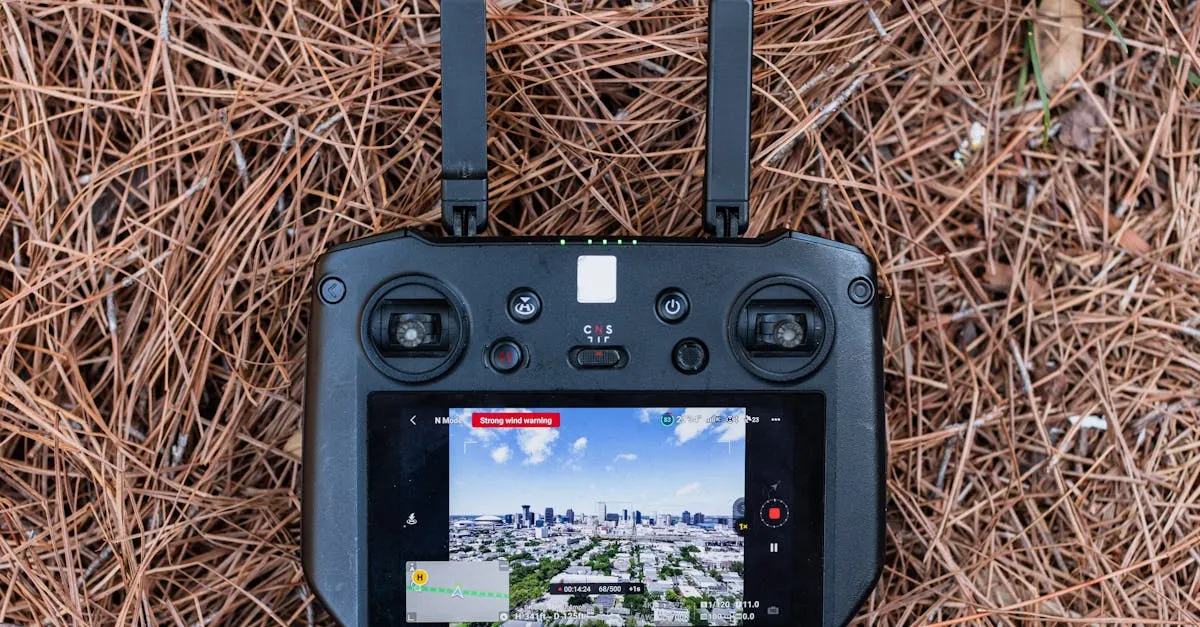
6. Ignoring Wind Warnings
What happens: You launch on a beautifully calm day. Not a leaf moving on the ground. But at 200 feet, your drone is leaning at a 45-degree angle, struggling to stay in the sky, and the battery is draining at an alarming rate.
Why it’s dangerous: Wind behaves very differently at altitude. Buildings, trees, and hills create wind tunnels you can’t feel on the ground. If wind overpowers your drone, it can push it out of range or drain the battery so fast that it falls from the sky before making it back.
How to avoid it: Check wind speeds at altitude, not just ground level. If your app gives a high wind warning, trust it. If the drone is constantly tilting to fight wind, bring it down immediately.
7. Overcorrecting with Stick Inputs
What happens: The drone drifts slightly. You jerk the stick hard in the opposite direction. Now the drone is zipping across the sky out of control.
Why it’s dangerous: Jerky stick movements lead to unusable footage and increase crash risk. New pilots often treat controls like a video game, pushing sticks to their limits. But drones are incredibly sensitive — a tiny movement goes a long way.
How to avoid it: Fly like you have a cup of hot coffee resting on top of the drone. Use smooth, gentle micro-movements. If the drone drifts, gently nudge it back. Modern drones have excellent GPS hold — take your hands off for a second and let it stabilize itself before making corrections.
8. Flying Near Airports Without LAANC Authorization
What happens: You fly near a local municipal airport, assuming it’s fine because you’re “just in a park.” A few days later, a federal fine arrives for thousands of dollars.
Why it’s dangerous: Airports have controlled airspace designed to keep passenger planes safe during takeoff and landing. Introducing a drone into that mix without communication is a massive safety hazard and a blatant federal violation.
How to avoid it: If you want to fly in controlled airspace, you must use LAANC (Low Altitude Authorization and Notification Capability). Access it through Aloft or AutoPylots (FAA-approved B4UFLY apps). Never fly in controlled airspace without explicit approval. To master airspace rules for commercial flying, check out the Pilot Institute Part 107 Course.
9. Not Updating Firmware Before Flights
What happens: You get to a beautiful location, turn on your drone, and the app says a firmware update is required. You try to skip it, but the drone refuses to take off. Or you skip it on an older drone, and halfway through the flight, the live feed freezes.
Why it’s dangerous: Manufacturers release firmware to fix bugs, improve GPS stability, and patch vulnerabilities. Flying with outdated firmware leaves you vulnerable to glitchy behavior, random disconnects, and unexplained crashes.
How to avoid it: Don’t update at the flying field on cellular data — it usually fails. Make it a habit to plug your drone and controller into Wi-Fi the night before a flight. Check for updates, let them install fully, and verify version numbers match before packing.
10. Ignoring Battery Warnings
What happens: You’re at 15% battery but want “just one more shot.” You push it to 10%, then 5%. The screen goes black. The drone drops like a rock from 150 feet.
Why it’s dangerous: Airplanes can glide if their engines fail. Drones cannot. When a battery reaches zero, the motors stop instantly and gravity takes over. Pushing a lithium-polymer battery to its limit can also cause it to swell, permanently damaging the battery and potentially starting a fire.
How to avoid it: When your drone hits 20-25% battery, initiate return to home immediately. Factor in wind — if you flew into a headwind on the way out, it takes significantly more battery to fly back. The landscape will still be there tomorrow with fresh batteries.
Frequently Asked Questions
What app checks drone airspace before flying? Download a B4UFLY app like Aloft or AutoPylots and use it before every flight. It shows controlled airspace boundaries and Temporary Flight Restrictions (TFRs) that appear suddenly for emergencies, presidential movements, or sporting events.
Why does my drone drift sideways when I try to fly forward? Usually an uncalibrated compass experiencing magnetic interference. Calibrate away from concrete, metal structures, and parking lots. If the app still shows a compass error after calibration, find a different spot.
What should I set my RTH altitude to? Find the tallest object within your flying radius and set RTH altitude at least 50 feet higher. Many drones default to around 50 feet, which causes crashes into buildings if signal is lost behind an obstacle.
What is LAANC authorization? Low Altitude Authorization and Notification Capability. Access it through Aloft or AutoPylots (FAA-approved B4UFLY apps) to get near-instant approval for flying in controlled airspace near airports. Flying without it is a federal violation.
At what battery percentage should I land? Initiate return to home at 20-25%. Factor in headwinds on the return trip, which drain battery significantly faster. Pushing lithium-polymer batteries to zero can cause permanent swelling or fire.
How do I prevent drone flyaways? Calibrate your compass every time you fly at a new location, away from metal and concrete. Uncalibrated compasses cause the navigation system to misinterpret direction, which is the primary cause of flyaways.
Avoiding these ten mistakes instantly puts you ahead of the curve and saves you hundreds of dollars in broken props, lost drones, and FAA fines.
If you want to skip the trial-and-error phase and learn to fly safely, confidently, and legally from day one, join our free Getting Started with Drones course. We walk you through everything from unboxing to mastering advanced flight maneuvers.